Market Screen
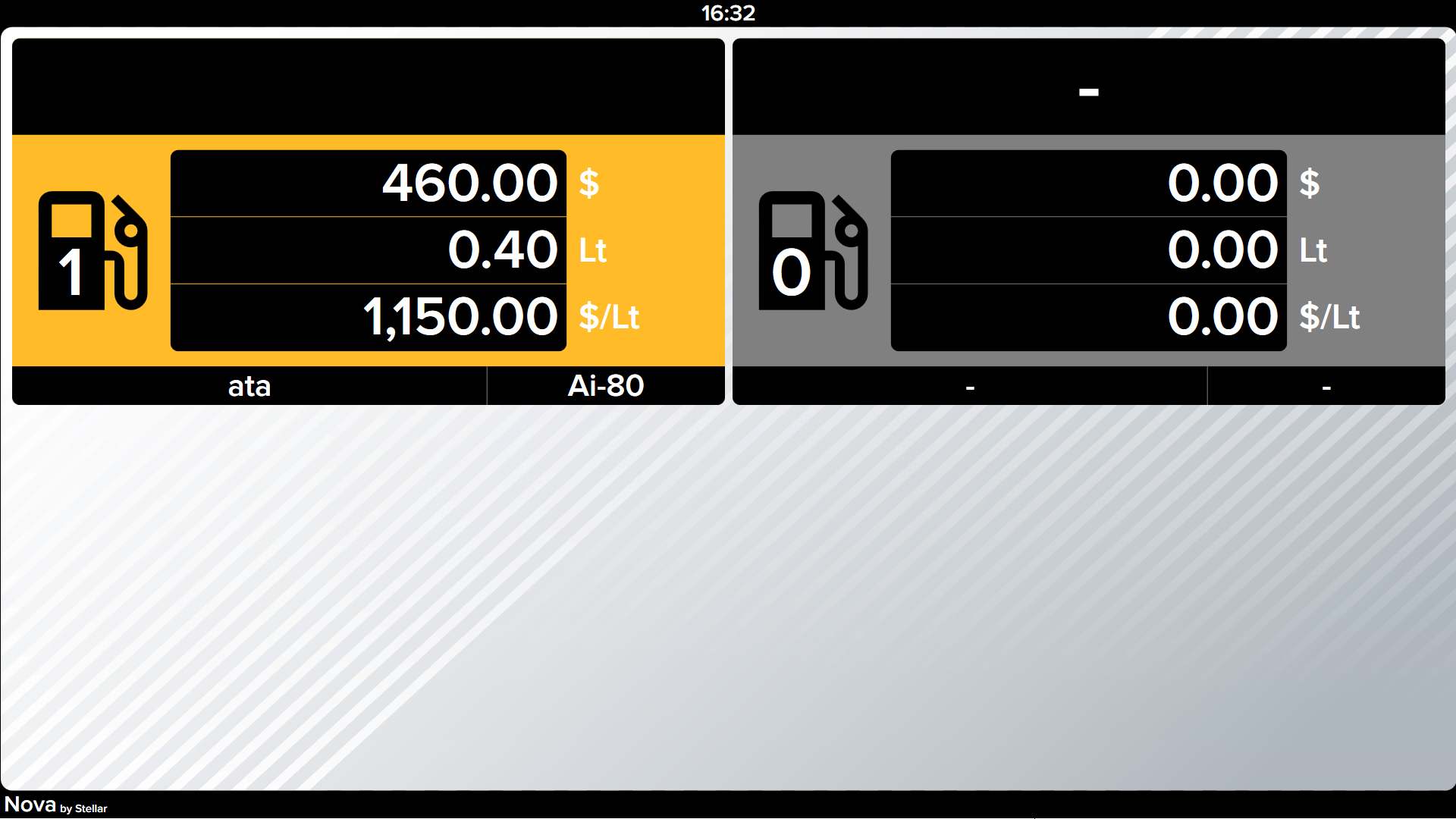
Market Screen Module
The Market Screen Module transforms your convenience store displays into informative fuel status dashboards. Customers inside the store can see real-time pump availability, fuel prices, and promotions while they shop.
Key Features
Real-Time Pump Status
Display the current status of all pumps on your forecourt:
- Available - Ready for use (green indicator)
- In Use - Currently dispensing fuel (yellow indicator)
- Out of Service - Temporarily unavailable (red indicator)
- Reserved - Authorized but not yet started (blue indicator)
Dynamic Fuel Pricing
Show current fuel prices with automatic updates when prices change. No manual intervention required - prices sync directly from your Nova system.
Promotional Content
Display advertisements, promotions, and special offers alongside pump information. Schedule content to show during specific hours or rotate through multiple promotions.
Queue Management
During busy periods, show estimated wait times and suggest less busy pumps to help distribute customer traffic evenly.
Display Layouts
Grid View
Shows all pumps in a grid format, perfect for stations with many pumps. Each pump displays status, fuel type, and current price.
List View
Vertical list format ideal for narrow displays. Shows detailed information for each pump including last transaction time.
Minimal View
Clean, simple display showing only pump numbers and status colors. Best for smaller screens or secondary displays.
Technical Requirements
- HDMI or DisplayPort connection
- 1080p resolution recommended
- Network connection to Nova server
- Windows 10/11 display computer or compatible smart TV
Installation
Please install by selecting the Market Screen module via nova-installer.