Display
Customer Screen
Display transaction details to customers in real-time during checkout at the convenience store POS.
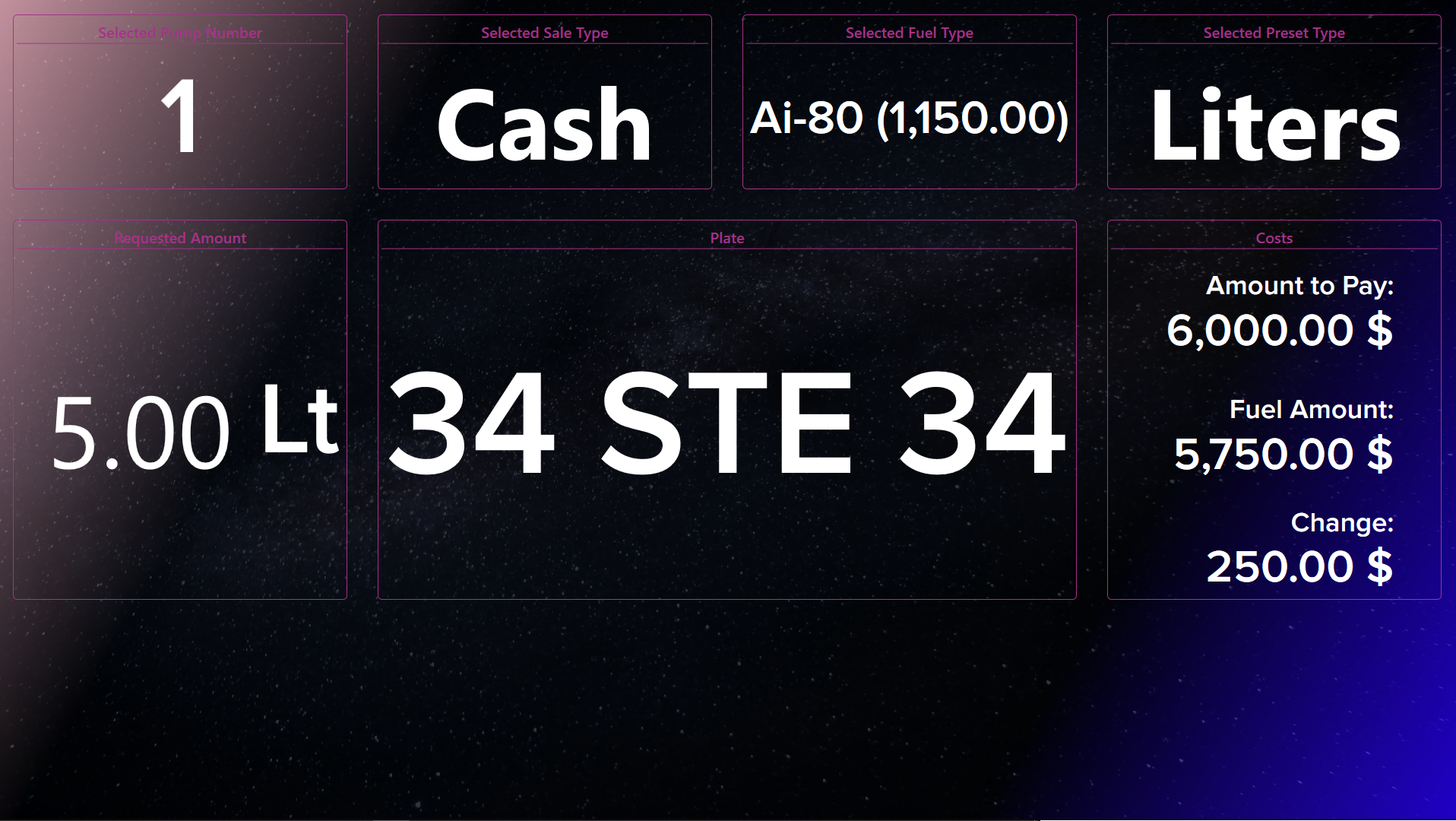
Customer Screen Module
The Customer Screen Module provides a customer-facing display that shows transaction details in real-time as the cashier processes sales at the convenience store POS. Enhance transparency and build customer trust with clear, professional transaction displays.
Key Features
Real-Time Transaction Display
Show customers exactly what they're being charged:
- Item-by-item listing with prices
- Quantity and unit prices
- Subtotals and running total
- Discounts applied
- Taxes calculated
- Final total prominently displayed
Fuel Integration
Seamlessly display fuel purchases from the forecourt:
- Pump number and fuel type
- Liters/gallons dispensed
- Unit price and total
- Combined with store purchases
Customer Information
When a customer card is scanned:
- Welcome message with customer name
- Loyalty points balance
- Available credit (for credit customers)
- Special offers for the customer
Payment Confirmation
Clear feedback during payment:
- Payment method selected
- Amount tendered
- Change due
- Transaction approved/declined status
Display Modes
Transaction Mode
Active during checkout:
- Large, readable fonts
- High contrast for visibility
- Auto-scrolling for long transactions
- Payment status indicators
Idle Mode
When no transaction is active:
- Station branding and logo
- Current fuel prices
- Promotional content
- Date and time display
Promotional Mode
Scheduled advertising content:
- Product promotions
- Loyalty program information
- Seasonal campaigns
- Partner advertisements
Customization
Branding
Match your station identity:
- Custom logo placement
- Brand colors
- Font selection
- Background images
Layout Options
Choose the best layout for your needs:
- Single column (narrow displays)
- Two column (item list + totals)
- Full width (large displays)
- Compact (small screens)
Language Support
Multi-language support for diverse customers:
- Auto-detect customer language preference
- Manual language selection
- Bilingual display option
Hardware Requirements
- Secondary display output (HDMI/VGA/DisplayPort)
- Recommended resolution: 1024x768 or higher
- Touch screen optional (for customer signature)
- Pole mount or counter stand
Integration
The Customer Screen Module integrates with:
- Nova POS system for real-time transaction data
- Customer Management for personalized greetings
- Loyalty programs for points display
- Payment terminals for status updates
Installation
Please install by selecting the Customer Screen module via nova-installer.